
Download WebAssistants ai – AI Chatbot for Web Apps, Secure & Easy to Use
Overview
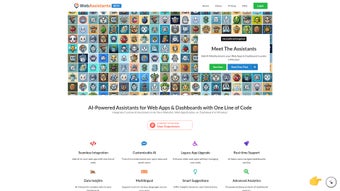
WebAssistants ai is a cloud‑based AI chatbot platform built specifically for modern web applications. Launched in early 2025, the service targets developers, marketers, and support teams that need a conversational interface without the overhead of managing server infrastructure. By leveraging large language models (LLMs) hosted on secure cloud servers, the bot can understand nuanced user queries, detect sentiment, and generate context‑aware responses in real time.
Because the solution runs entirely in the browser, there is no heavy client‑side download or local installation required—just a secure HTTPS connection and a compatible browser. The product offers three subscription tiers: a free‑trial tier that provides full feature access for 14 days, a Standard plan aimed at small‑to‑medium teams, and an Enterprise tier that unlocks advanced analytics, custom model training, and priority support. Security is a core pillar; all traffic is encrypted, data residency complies with GDPR, and role‑based access control limits who can modify bot settings.
Regular updates are pushed automatically, ensuring the latest language model improvements and security patches are always available. Whether you want a 24/7 help desk, a lead‑generation assistant, or a knowledge‑base navigator, WebAssistants ai promises a scalable, secure, and easy‑to‑integrate solution that works across Windows, macOS, Linux, Android, and iOS browsers.
Key Features and Capabilities
- ?️ Natural‑language understanding: Powered by state‑of‑the‑art LLMs, the bot can interpret complex queries, detect sentiment, and respond in a human‑like tone.
- ? Drag‑and‑drop builder: No coding required; create conversation flows with a visual editor that supports conditional logic, quick replies, and rich media.
- ? Analytics dashboard: Real‑time insights into user interactions, conversion rates, and bot performance, with exportable CSV reports.
- ? Security & compliance: End‑to‑end encryption, GDPR‑ready data handling, and role‑based access control for teams.
- ⚙️ Multi‑platform integration: Seamlessly embed via JavaScript snippet, WordPress plugin, or API for custom front‑ends.
- ? Multilingual support: Auto‑detect language and respond in over 30 languages, ideal for global audiences.
- ? 24/7 availability: Cloud‑hosted bots stay online round the clock, reducing support latency and operational costs.
- ?️ Custom model training: Enterprise users can upload proprietary data to fine‑tune the AI for industry‑specific terminology.
- ? Knowledge‑base integration: Connect to existing FAQ repositories, CRM records, or document stores for instant answer retrieval.
- ? Mobile‑responsive UI: Optimized for touch devices, ensuring a smooth experience on Android and iOS browsers.
Beyond the bullet‑point list, each feature is designed with a specific use‑case in mind. For example, the drag‑and‑drop builder includes pre‑built templates for common scenarios such as appointment scheduling, product recommendation, and ticket routing. The analytics module not only tracks volume but also highlights drop‑off points where users abandon the conversation, allowing you to refine prompts and improve conversion.
Security measures go beyond simple encryption; data residency options let European customers store conversation logs within the EU, while audit logs record every configuration change for compliance teams. The multilingual engine leverages on‑the‑fly translation, meaning a single bot can serve visitors from Tokyo to São Paulo without manual language switching. Together, these capabilities make WebAssistants ai a comprehensive conversational platform rather than a single‑purpose widget.
Installation, Usage & Compatibility
Getting started with WebAssistants ai is intentionally straightforward. After subscribing, you receive a welcome email containing a unique JavaScript embed code and a link to the online dashboard. Copy the script into the or of any HTML page where you want the chatbot to appear, then publish the page. The bot will load automatically, adapting its UI to the surrounding design. For content‑management systems like WordPress, Joomla, or Drupal, a dedicated plugin streamlines the process—just install the plugin, paste your API key, and configure the widget from the admin panel.
Step‑by‑step guide:
- Create an account: Visit webassistants.ai and choose a subscription tier. A free trial is available without credit‑card entry.
- Verify email & set password: Secure your account with two‑factor authentication (optional but recommended).
- Access the dashboard: Use the web‑based console to design conversation flows, upload knowledge‑base files, and set up integrations.
- Generate embed code: The dashboard provides a ready‑to‑copy JavaScript snippet; customize the widget’s color, position, and greeting message.
- Insert into your site: Paste the code into the HTML of your web app. For single‑page applications (React, Vue, Angular), place the script in the main index file or use the provided npm package.
- Test and iterate: Use the preview mode to simulate user interactions, then publish changes instantly—no redeployment required.
Compatibility: Because WebAssistants ai runs entirely in the browser, it works across all major operating systems—Windows 10/11, macOS Ventura, Linux distributions, as well as mobile platforms like Android 13 and iOS 17. Supported browsers include Internet Explorer 11 (limited), Firefox latest, Chrome latest, Safari 15+, and Opera latest. The service adheres to modern web standards (HTML5, CSS3, ES6), guaranteeing consistent performance on both desktop and mobile devices.
Advanced users can also take advantage of the RESTful API to trigger bot actions from backend systems or to pull conversation logs for deeper analysis. The API uses OAuth 2.0 for authentication, ensuring that only authorized services can interact with your bot data. If you prefer a server‑less approach, the platform offers a serverless webhook that pushes events (like new leads or support tickets) directly to your preferred endpoint, such as Zapier, Integromat, or a custom AWS Lambda function. This flexibility means you can integrate the chatbot into virtually any workflow without rewriting existing code.
Pros and Cons
Pros
- Easy to install—no server‑side setup required.
- Highly customizable conversation flows without coding.
- Robust analytics help optimize conversion and support metrics.
- Secure, GDPR‑compliant architecture suitable for enterprise use.
- Multilingual capabilities broaden global reach.
- 24/7 cloud hosting eliminates downtime caused by local server failures.
- Extensive integration options (CMS plugins, API, webhooks).
Cons
- Subscription cost may be prohibitive for very small businesses.
- Limited offline functionality—requires an active internet connection.
- Advanced features (custom model training) are locked behind the enterprise tier.
- Internet Explorer support is only partial, reflecting the browser’s decline.
- Initial learning curve for the visual flow builder can be steep for non‑technical users.
- Free trial ends after 14 days, after which you must choose a paid plan.
Overall, WebAssistants ai delivers a powerful, secure, and user‑friendly AI chatbot solution for web apps. While pricing and the need for an internet connection are notable considerations, the breadth of features and seamless integration make it a compelling choice for teams seeking to automate customer interactions.
FAQ & Conclusion
Can I use WebAssistants ai on a static HTML site?
Yes. The platform provides a simple JavaScript snippet that can be added to any static HTML page, enabling the chatbot without server‑side code.
Is there a free trial, and does it require a credit card?
WebAssistants ai offers a 14‑day free trial with full feature access. No credit‑card information is required to start the trial.
How does the platform handle user data and privacy?
All communications are encrypted via HTTPS. Data is stored in GDPR‑compliant servers, and you can configure data retention policies or request deletion at any time.
Can I integrate the chatbot with my existing CRM?
Yes. WebAssistants ai provides native connectors for popular CRMs (HubSpot, Salesforce, Zoho) and also offers a REST API for custom integrations.
What support options are available for enterprise customers?
Enterprise subscribers receive priority email support, a dedicated account manager, and optional 24/7 phone assistance. They also get early access to new features and beta programs.
In summary, WebAssistants ai stands out as a versatile, secure, and easy‑to‑deploy AI chatbot for any web application. Its browser‑based architecture eliminates the headaches of server maintenance while delivering powerful natural‑language capabilities. If you’re looking to reduce support costs, capture leads faster, or simply provide a modern conversational experience to visitors, this tool is worth a try. Click the button below to start your free trial, configure your first bot, and see how AI can transform your web presence.



.png)



